
Calendars are now available in NoorNote!
It’s an addon with a regular NIP-52/NIP-52E calendar that lives entirely on relays. NIP-52E is a nonstandard proposal for handling private calendar events. NIP 52 by itself doesn’t cover that. So I used npub1cgd35mxmy37vhkfcmjckk9dylguz6q8l67cj6h9m45tj5rx569cql9kfex’s NIP-52E, which runs on https://calendar.formstr.app/. NoorNote’s encrypted private events are therefore compatible with Formstr’s.
https://image.nostr.build/b7f3cd4f175a2348146a5cb444fc707…
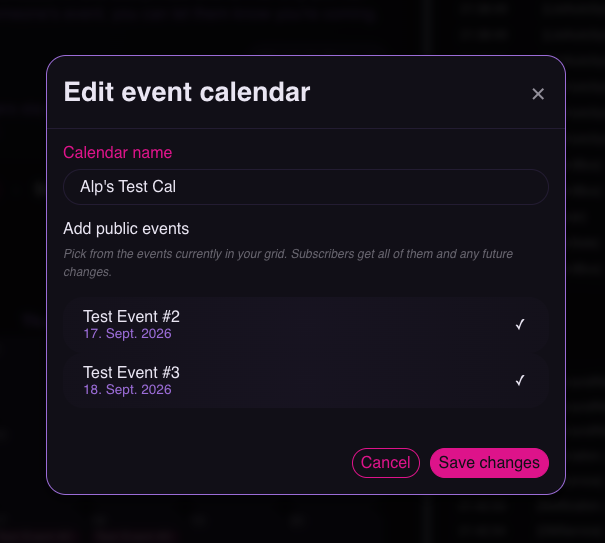
You can select different events and combine them into your own calendar.
https://image.nostr.build/c753a9b2855412c06b1dd9cbe142e76…
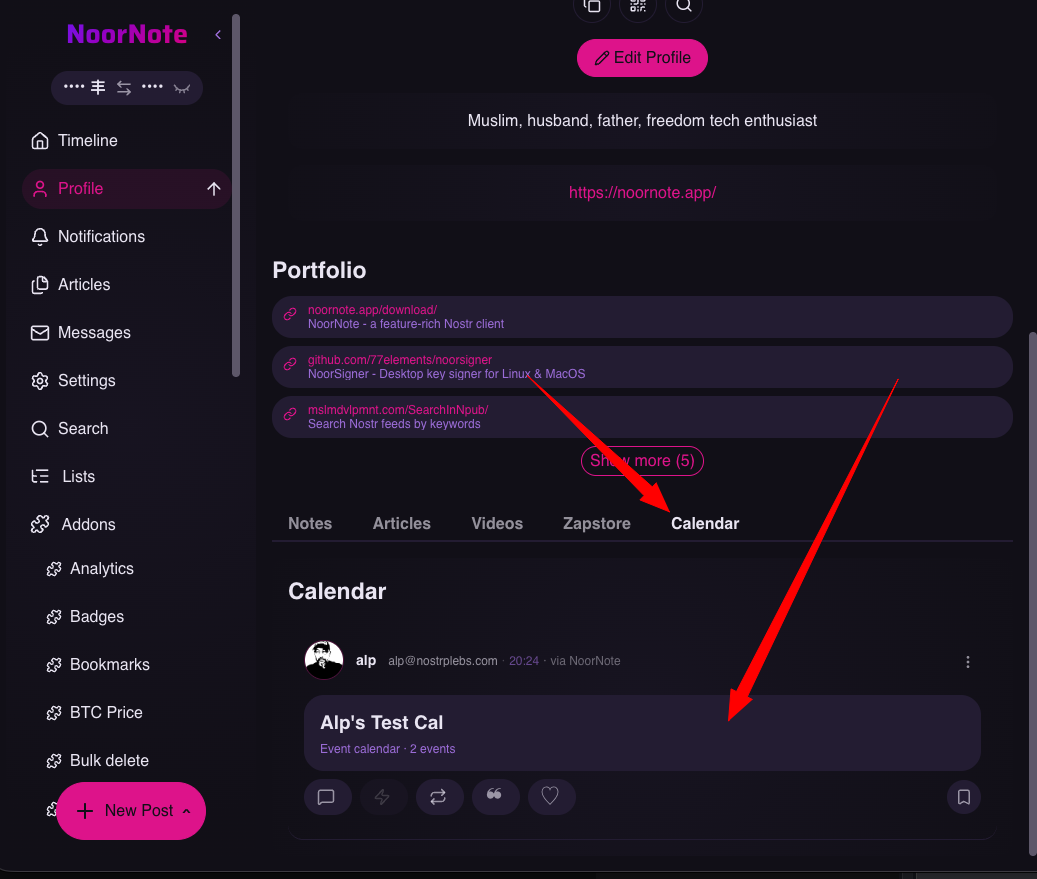
That calendar will then be displayed on your profile page.
https://image.nostr.build/66f8e35e651fc92d8055e243e829550…
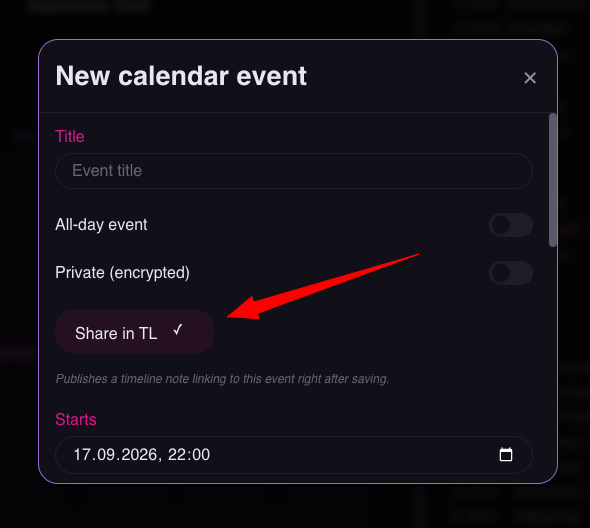
You can add public or private events, which are encrypted, to your calendar. You can also share public events in your timeline while creating them.
https://image.nostr.build/338c1b8f488b0c558c9bd165e4c914a…
Or you can share them later, after the event has been added.
https://image.nostr.build/338c1b8f488b0c558c9bd165e4c914a…
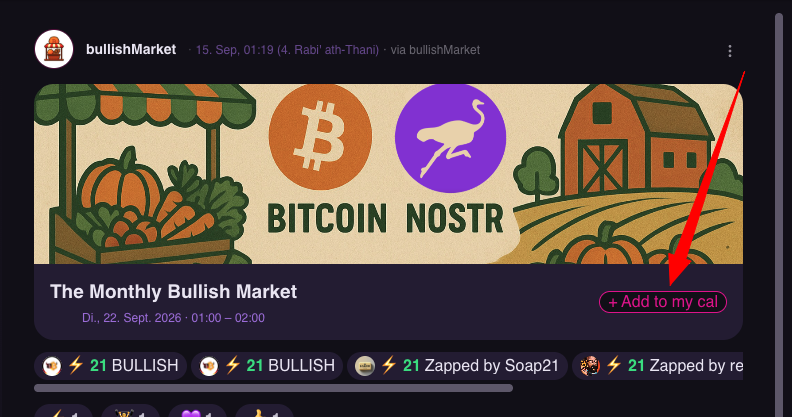
Shared events look like this in the timeline.
https://image.nostr.build/d018adf725a624556f6411a2fa015fd…
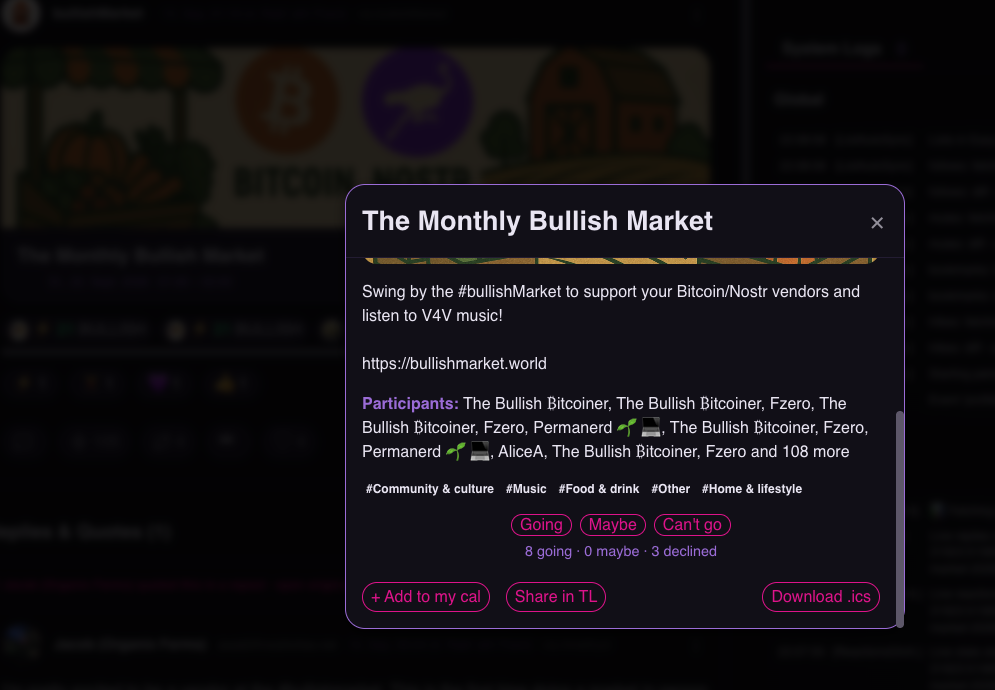
When you click on one, you’ll see more details, including how many people have already said they’re coming.
https://image.nostr.build/b4112e0eac7d6c7649ede171f13b553…
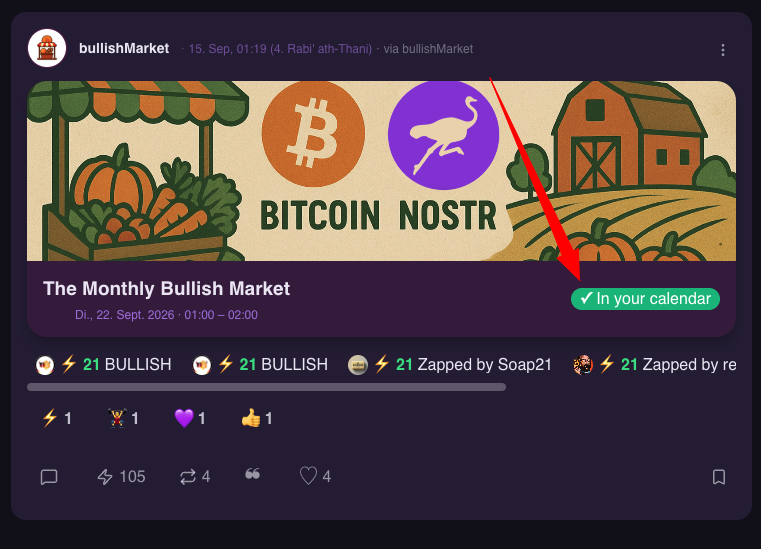
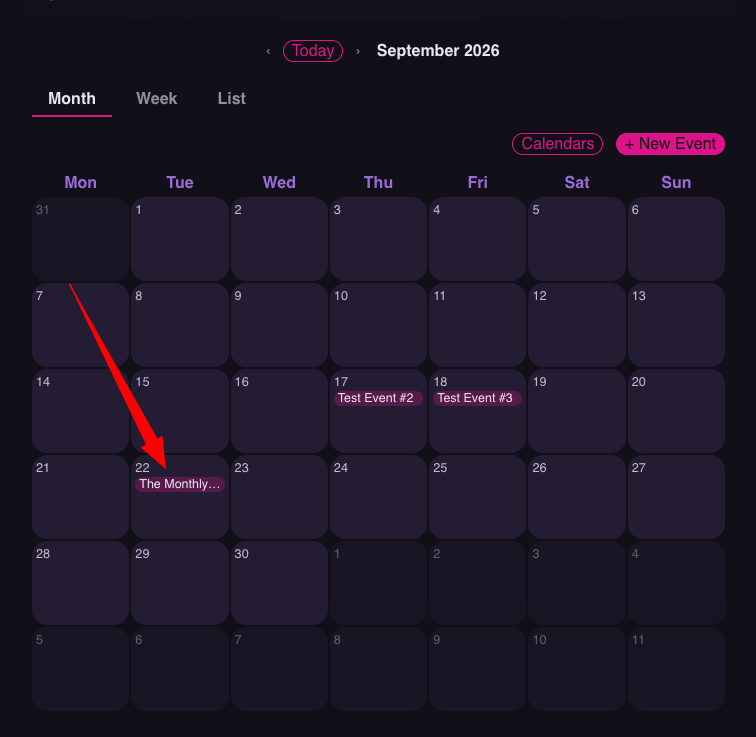
You can also import the event into your own calendar.
https://image.nostr.build/29c69a45db69330ac12a01d48691b7b…
https://image.nostr.build/f0490f793a4b7c50e7f16964a3ab0ac…
Have fun!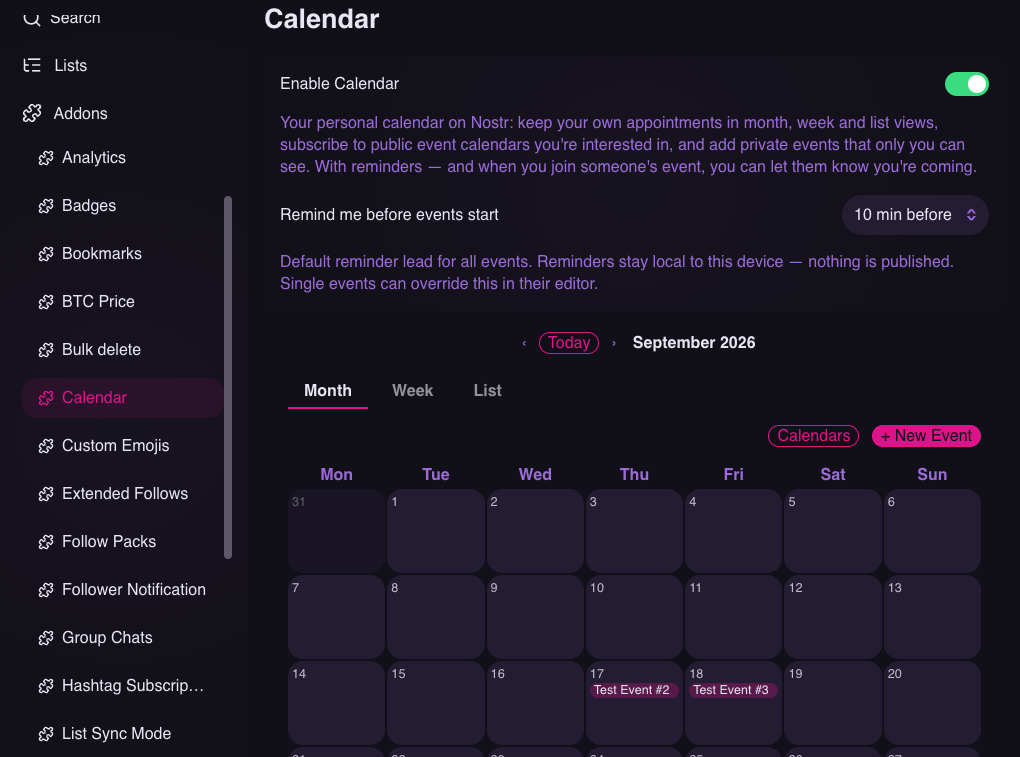
It’s an addon with a regular NIP-52/NIP-52E calendar that lives entirely on relays. NIP-52E is a nonstandard proposal for handling private calendar events. NIP 52 by itself doesn’t cover that. So I used npub1cgd35mxmy37vhkfcmjckk9dylguz6q8l67cj6h9m45tj5rx569cql9kfex’s NIP-52E, which runs on https://calendar.formstr.app/. NoorNote’s encrypted private events are therefore compatible with Formstr’s.
https://image.nostr.build/b7f3cd4f175a2348146a5cb444fc707…
You can select different events and combine them into your own calendar.
https://image.nostr.build/c753a9b2855412c06b1dd9cbe142e76…
That calendar will then be displayed on your profile page.
https://image.nostr.build/66f8e35e651fc92d8055e243e829550…
You can add public or private events, which are encrypted, to your calendar. You can also share public events in your timeline while creating them.
https://image.nostr.build/338c1b8f488b0c558c9bd165e4c914a…
Or you can share them later, after the event has been added.
https://image.nostr.build/338c1b8f488b0c558c9bd165e4c914a…
Shared events look like this in the timeline.
https://image.nostr.build/d018adf725a624556f6411a2fa015fd…
When you click on one, you’ll see more details, including how many people have already said they’re coming.
https://image.nostr.build/b4112e0eac7d6c7649ede171f13b553…
You can also import the event into your own calendar.
https://image.nostr.build/29c69a45db69330ac12a01d48691b7b…
https://image.nostr.build/f0490f793a4b7c50e7f16964a3ab0ac…
Have fun!